
Write the recipe once. Get the card, the printout and the pin.
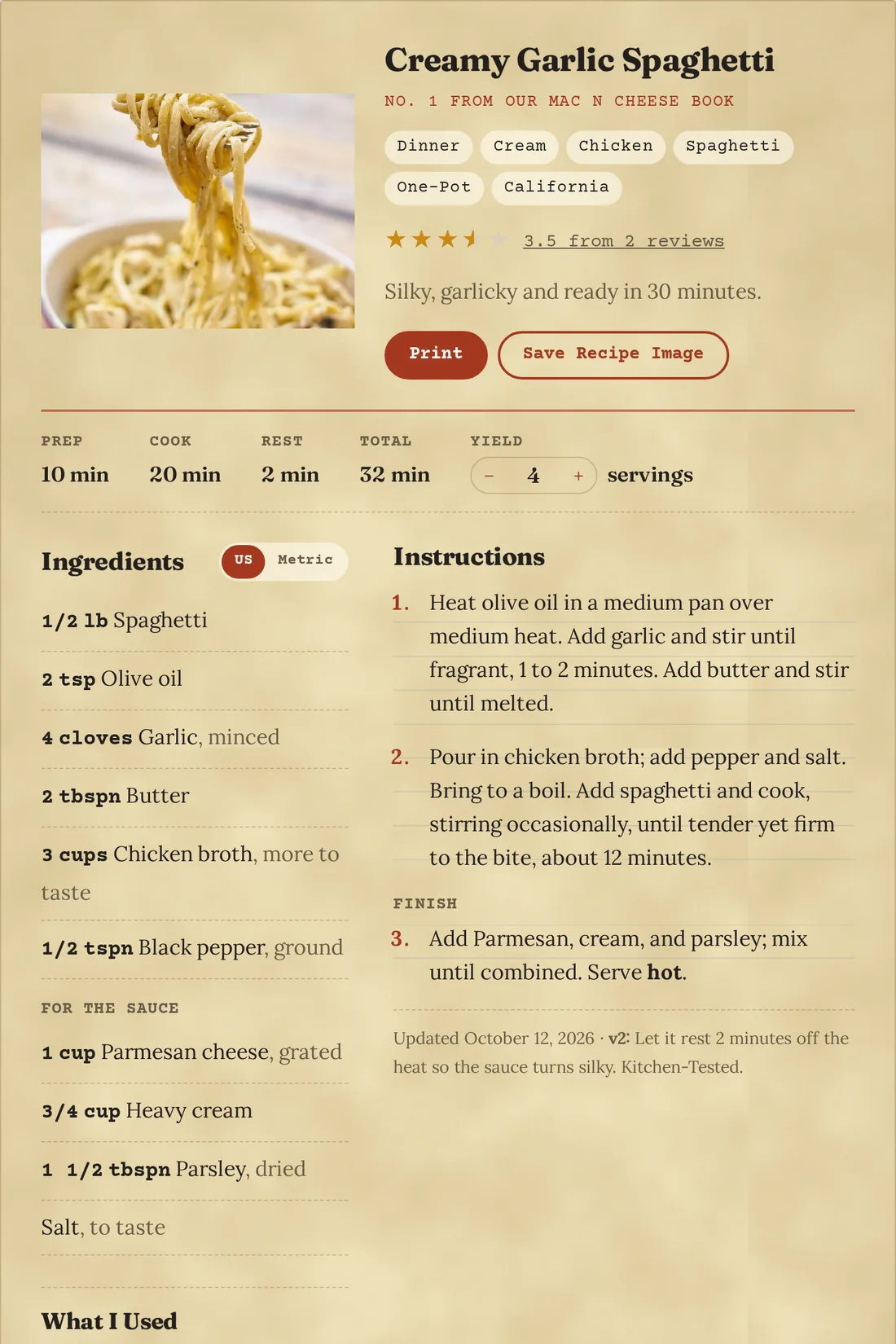
Recipe WP is a free recipe plugin for WordPress. Each recipe becomes a card readers can scale and print, with the details Google needs, and a Pinterest image drawn for you from the recipe itself.
Free to use on as many sites as you like. It runs PastaPosts.com, a working food blog.
Everything a recipe needs is in the free plugin
No recipe limits and no account to sign up for. Install it, write a recipe, and the card shows up on its own.
Recipe cards for any theme
Ingredients with sections, numbered steps, and prep, cook and rest times with the total worked out. Jump to Recipe link, plus a block to put a recipe inside any post.
Scaling and US or metric
Readers change the servings and every amount recalculates, shown as kitchen fractions. Their unit choice is remembered from recipe to recipe.
A clean print page
Prints at the reader’s servings and units, without your sidebar, comments or ads.
Google recipe schema
The structured data Google reads for recipe results, ratings included once reviews come in, and the photo crops it asks for.
Ratings and reviews
Built on WordPress comments, so moderation, spam filtering and replies work the way you already know.
Recipes from your readers
A form readers paste a recipe into. Amounts, units and sections are picked out for them, and it waits for you as Pending.
Recipe books and roundups
Numbered collections with their own pages, and an optional PDF download for an email address. The list is kept on your site.
Bring in a whole cookbook
Import in batches with a preview first, safe to run again. Tested with a 2,215-recipe book.
Also in the box: recipe filters with live counts, suggested category tags as you type, Kitchen-Tested stamps, and a pasta preset with 21 shape icons.
Every recipe gets its own pin
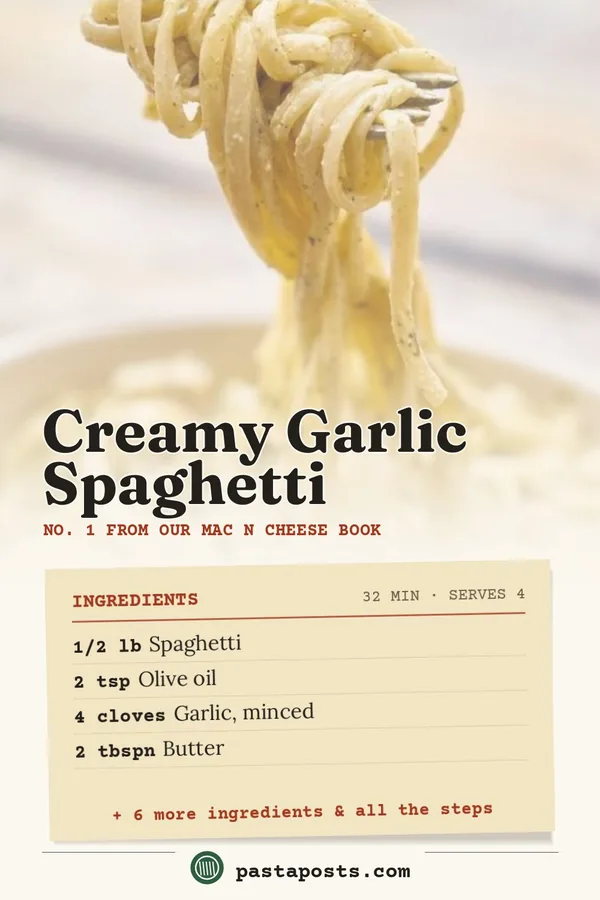
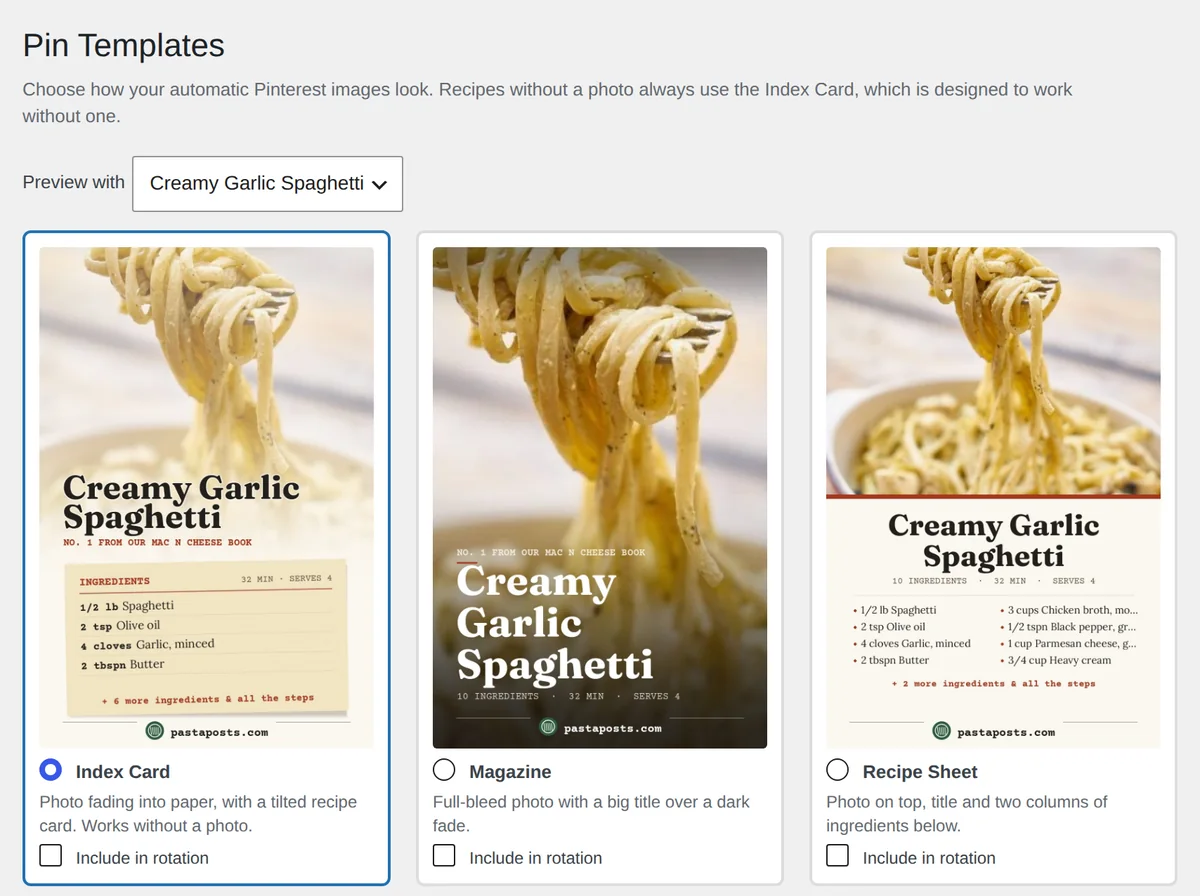
Publish a recipe and Recipe WP draws a tall Pinterest image from it: your photo, the title and the first ingredients. Change the recipe and the pin redraws itself. Readers can save it with one button on the card.
-
Index Card
Free
-
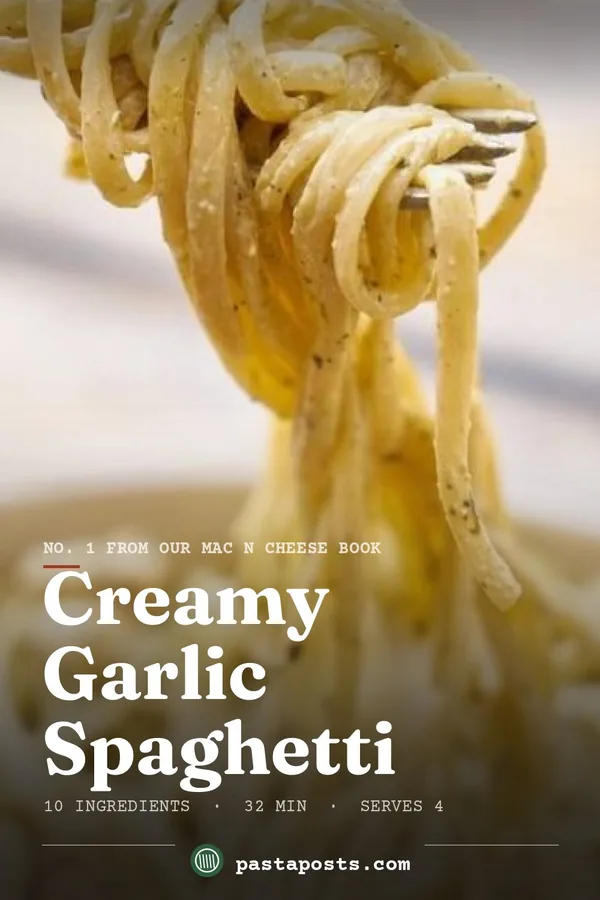 Magazine
Pro
-
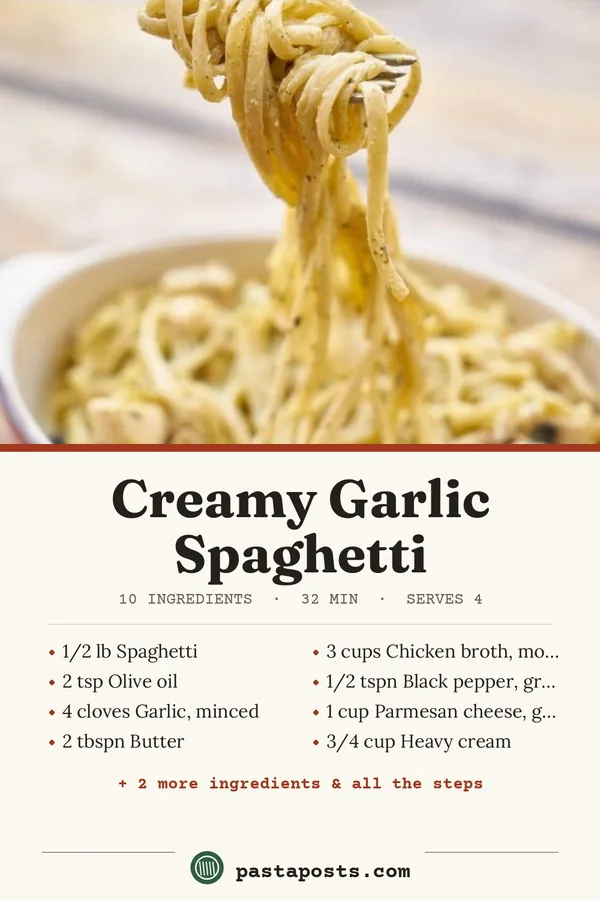 Recipe Sheet
Pro
-
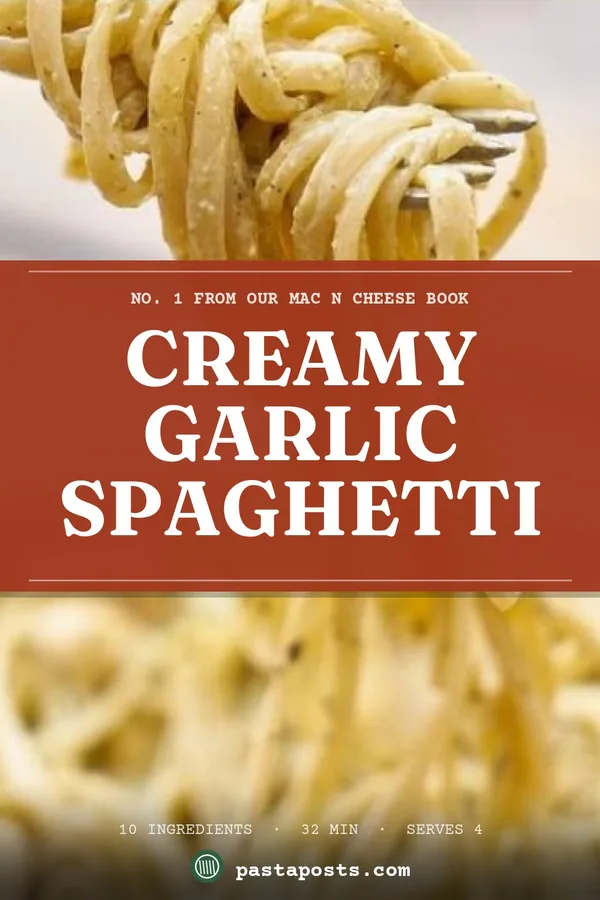 Bold Banner
Pro
-
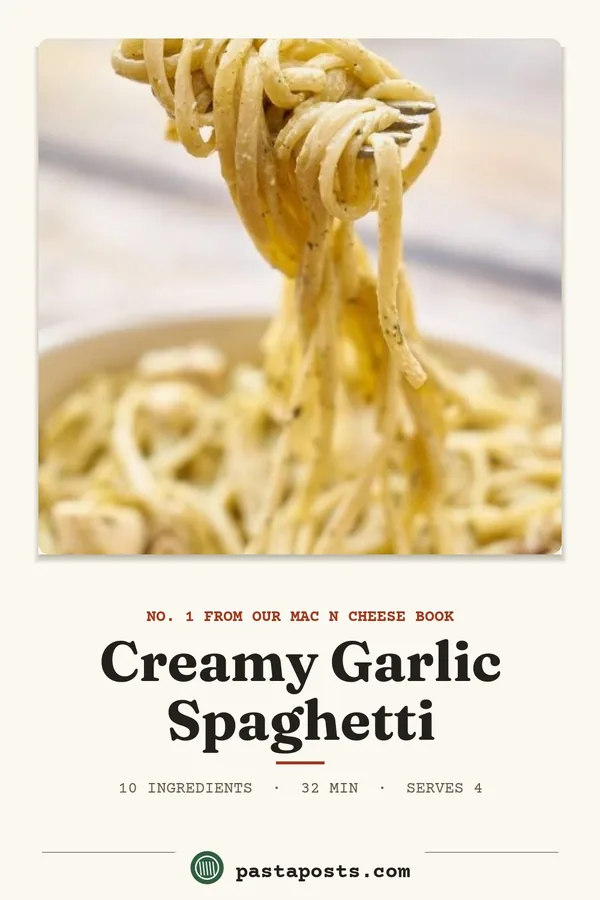 Clean
Pro
With Pro you also set the colors, fonts and footer logo, rotate layouts across recipes so your board doesn’t look the same twice, and change the small line above each title.
Recipe WP Pro, for blogs that earn from their recipes
Pro is one add-on with four modules. Switch on the ones you want; a module that’s off doesn’t load at all.
Monetization Pro and Business
Recommend the tools you actually cooked with
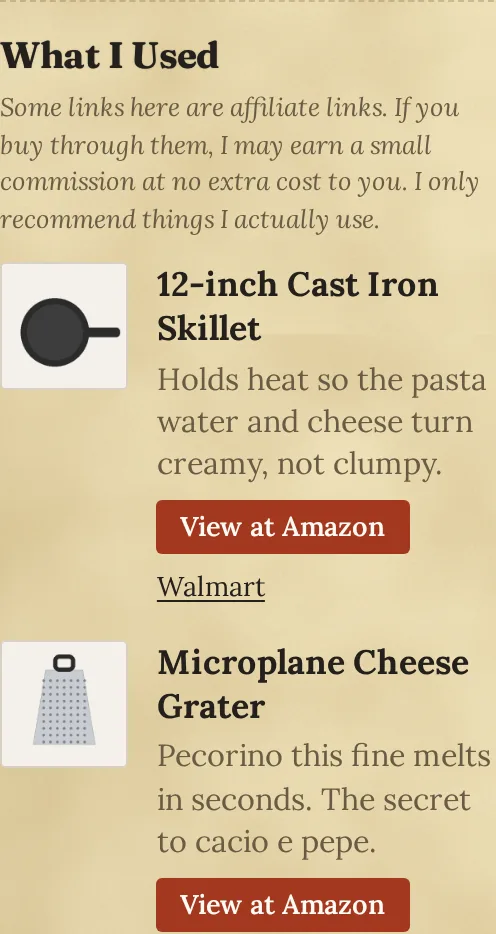
Keep a library of the pans, graters and pantry staples you use, then pick them per recipe. They show up in a “What I Used” box on the card with your note on why.
- Affiliate disclosure written once and filled in for you
- Short links like /go/cast-iron-skillet that count clicks
- A daily check flags store links that stopped working
- Clicks by product, by recipe and by spot on the page
Recipe Versioning Pro and Business
Every change to a recipe, kept
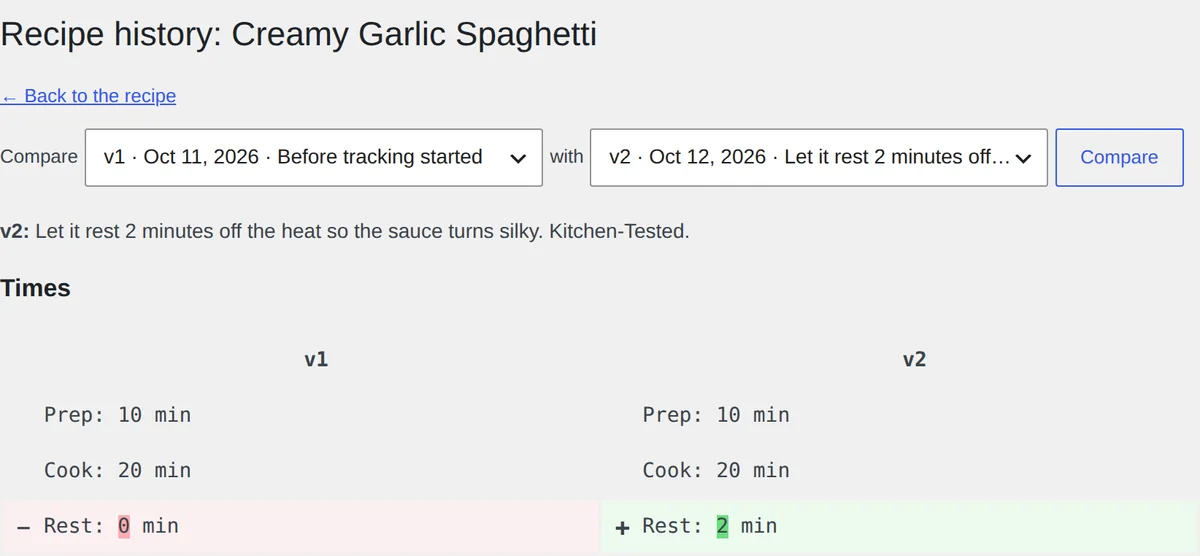
Each save becomes a version. Write a short note about what changed and readers see it under the steps, so they know the recipe was tested again.
- Compare any two versions side by side
- Restore an old version in one click, nothing lost
- Quick edits a minute apart merge into one version
Pin Templates Pro and Business
Pins that look like your brand
Four more layouts on top of the Index Card, previewed with your own recipes before you save.
- Your colors, fonts and logo on every pin
- Rotate layouts so a board of your pins has variety
- Pick a layout or a custom line for any single recipe
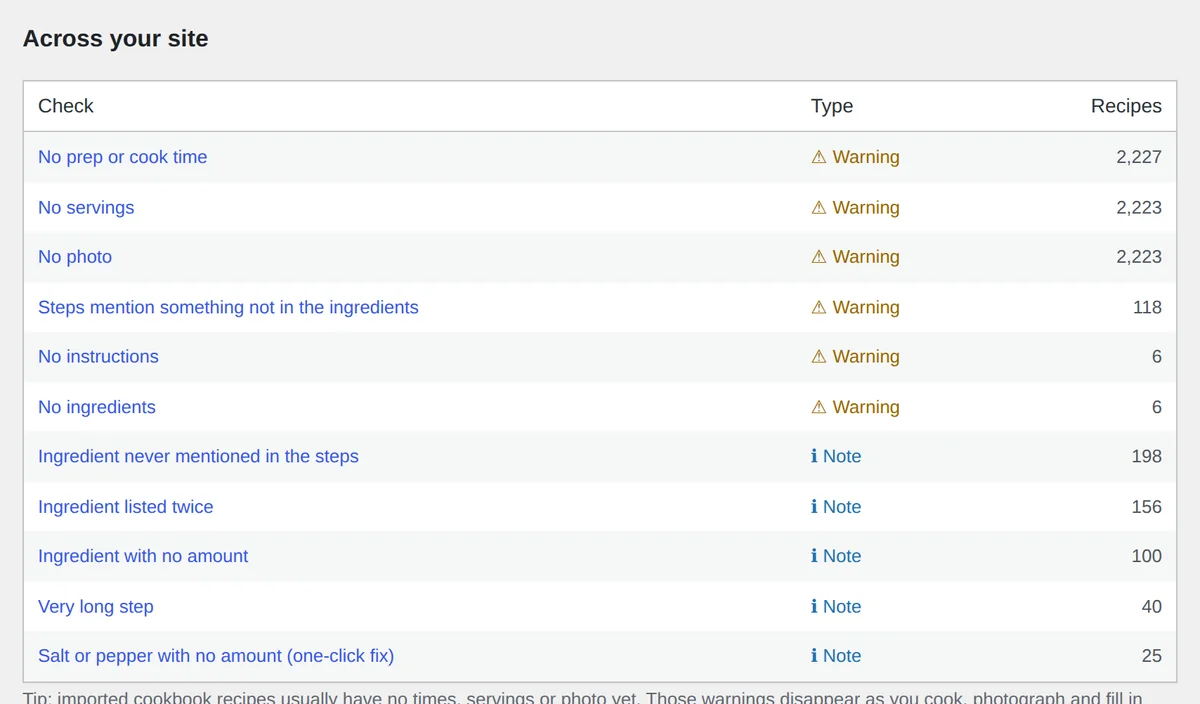
Recipe Intelligence Business
A second pair of eyes on every recipe
Each save is checked for the mistakes readers notice: the steps say garlic but the list doesn’t, there’s no cook time, a step takes longer than the whole recipe.
- Check the whole site at once, even thousands of recipes
- Safe one-click fixes, like “to taste” for salt with no amount
- Suggestions only; it never changes a recipe on its own
Start free. Add Pro when your blog earns.
Prices are in US dollars and renew yearly. If you stop renewing, the Pro features switch off and your recipes, products and history stay in your database.
Free
$0 any number of sites
The full recipe plugin. Cards, schema, printing, reviews, collections and the Index Card pin.
- Recipe cards, scaling and printing
- Google recipe schema
- Ratings, reviews and reader submissions
- Recipe books with email sign-up
- Index Card pin for every recipe
Pro
$39 per year, 1 site
For bloggers who recommend products and keep improving their recipes.
- Everything in Free
- Monetization: What I Used, /go/ links, click reports
- Recipe Versioning with change notes
- Pin Templates: 5 layouts, your brand
- A year of updates and email support
Business
$79 per year, up to 5 sites
For big recipe archives, several blogs, or a team.
- Everything in Pro
- Recipe Intelligence checks on every save
- Whole-site recipe check
- Use on up to 5 sites
- Priority email support
Questions
Does it work with my theme?
Yes. The recipe card brings its own styles and takes your theme’s fonts and colors where it can. If you want a theme made for it, Recipe Paper is free and designed around the card.
Do I need Pro?
No. The free plugin is complete for publishing recipes. Pro is for bloggers who recommend products, want a record of how each recipe changed, or want pins in their own style.
Can I move my recipes from another recipe plugin?
Recipe WP imports whole cookbooks from its own import file today. Importers for other recipe plugins are planned. Ask us which one you use and we’ll tell you where it stands.
What happens if I stop renewing Pro?
The Pro features switch off. Your recipes, products, versions and settings stay in your database, and turn back on if you renew.
Can I use one license on several sites?
Pro covers one site and Business covers five. Local and staging copies (like .local, .test or staging. addresses) don’t count. To move a license, deactivate it under Recipes → Pro on the old site.
Where is my data kept?
On your own site. Recipes, reviews, email sign-ups and click counts live in your WordPress database. Pro only checks in with recipewp.com once a week to confirm the license.
Put your next recipe in a card
Download Recipe WP, activate it, and add a recipe under Recipes. That’s the whole setup.